
Table of Contents
Your data works hard. It flows through Databricks, gets transformed, analyzed, and feeds downstream systems. But here’s what keeps architects up at night: what if you want Snowflake to read it? Or Athena? Or Trino running in your data lake?
Databricks’ Compatibility Mode and UniForm sound like a dream. Let everyone read your tables without migration, without duplication, without rebuilding pipelines. But that dream comes with a bill that shows up in unexpected places. Let’s talk about what you’re actually buying.
The Promise That Feels Too Good to Be True (Because It Might Be)
Compatibility Mode lets you expose managed Delta tables to 15+ external engines simultaneously: Snowflake, Athena, Trino, DuckDB, Spark, Flink, and others. It works through the Unity REST API and Iceberg REST catalog, generating read-only versions in both Delta Lake and Iceberg formats at the same time.
For the first time, your single source of truth can actually be a single source without forcing everyone to migrate or maintaining parallel copies. No more “which table is current?” arguments. No more ETL pipelines that sync data between platforms.
The pitch is irresistible. Until you dig into what happens under the hood.
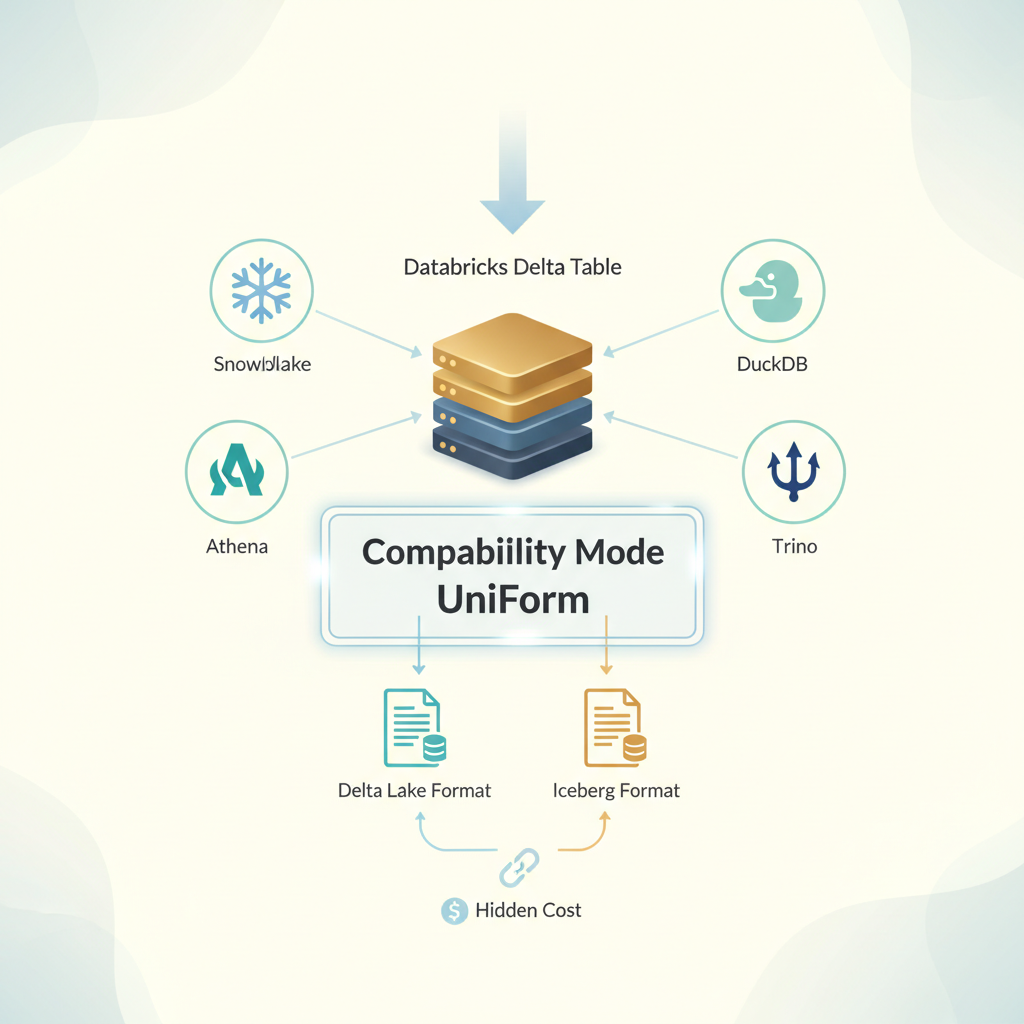
Delta tables with multiple external engines
What Actually Happens When You Enable Compatibility Mode
The moment you flip the switch, Databricks starts working. Hard.
Your first compatibility version takes up to one hour to generate. That’s compute even though you’re not querying anything. That cost runs through Predictive Optimization billing, which means you need to query system.billing.workspace_storage and system.billing.account_workspace_cost_history to even see where the money’s going. And if you’re charging this back to business units, good luck explaining why the data engineering team’s $2K bill appeared last Tuesday.
But the real story starts with refresh intervals. The default is one hour for managed tables, zero minutes for streaming tables and materialized views. Zero minutes sounds great until you realize what it means: every single commit to your source table triggers a compatibility version refresh. Every write operation spawns a background job that regenerates your Iceberg metadata.
Miss something obvious? Schema changes, column renames, type widening force hourly refreshes regardless of what you configured. You thought you set it to 6-hour intervals to control costs? Not anymore. Databricks takes over.
And that refresh cost? It’s proportional to the cost of the original write operation. If ingesting 10TB of data into your raw zone costs you $400, expect to pay again when that compatibility version refreshes.
The Architecture Nobody Explains Upfront
Here’s what’s actually happening in the background:
You need Unity Catalog enabled. You need the CREATE EXTERNAL TABLE privilege. You need a target cloud storage location that hasn’t hosted another Compatibility Mode table in the last seven days, a constraint nobody mentions until they hit it.
The system supports four table types: Managed Iceberg (read/write via Iceberg REST), Foreign Iceberg (read only), Managed Delta with Iceberg reads (read only), and External Delta with Iceberg reads (read only). Each has different cost profiles and capability trade-offs.
Access control splits into two paths: credential vending (who can reach the cloud storage) and the explicitly excluded EXTERNAL USE SCHEMA privilege. It’s deliberately kept outside ALL PRIVILEGES because Databricks wants you to consciously grant external access which is smart governance, but it adds operational friction. You can’t just hand out broad permissions.
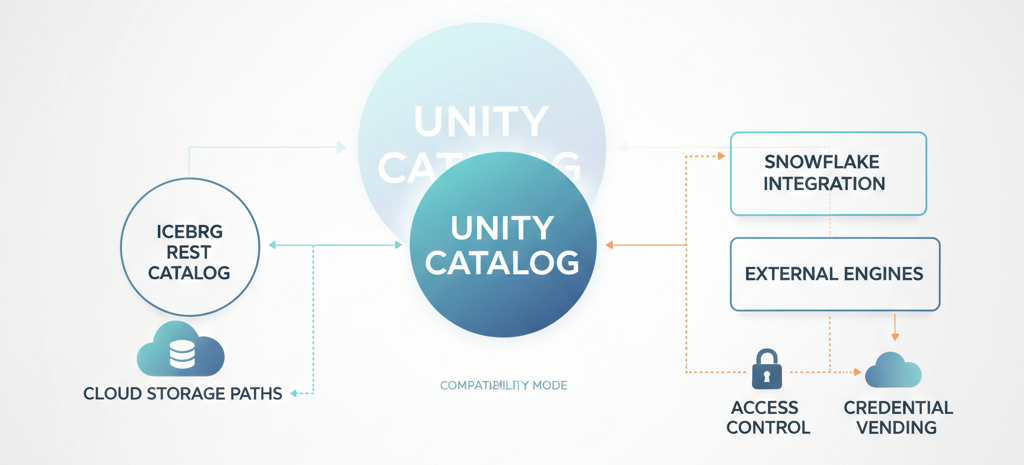
Unity Catalog, Iceberg REST catalog, cloud
Snowflake integration gets special treatment. You can use catalog-linked databases for automatic metadata sync, or go the external tables route with manual refreshes. One costs you consistency management; the other costs you operational overhead.
Where the Actual Money Leaks
Let’s be direct: Compatibility Mode has a three-part cost structure nobody budgets for properly.
First cost: Initial generation and ongoing refreshes. That one-hour initial build is fine. It’s a one-time tax. But if you’re managing thousands of tables across multiple schemas, those refreshes add up. A 10TB table with a zero-minute refresh interval? You’re potentially running compatibility generation after every commit. Multiply that across your catalog, and you’re looking at background compute that dwarfs your primary workload.
Second cost: Storage overhead. You’re maintaining two metadata versions simultaneously i.e Delta and Iceberg for every table you enable. Manifests, delete files, metadata layers. Then there’s VACUUM. You still need to vacuum the compatibility version to remove unused data files, which means additional cleanup jobs, additional compute, additional management.
Third cost: Operational complexity. Every engineer touching these tables needs to understand the access model. Credential vending, REST catalog endpoints, which tables are read-only externally, which operations trigger refreshes. This isn’t a day-one problem, it emerges after three months when someone accidentally tries to write through an external engine, and the data lake goes silent.
When Compatibility Mode Actually Makes Sense
This isn’t a “don’t use it” conversation. This is a “use it deliberately” one.
Compatibility Mode delivers real value when you’re breaking the Databricks moat when you have Snowflake somewhere in your architecture (maybe legacy, maybe intentional) and you want to stop maintaining dual pipelines. Or when Athena queries are baked into analyst workflows and migration would cost more than the sync layer.
The economics flip if you’re managing selective external access, not blanket availability. Don’t enable it on your entire catalog. Enable it on the 10-20 tables that external engines actually need. Your finance schema that Snowflake reports run against. Your customer metrics table that feeds the BI platform. Not your raw ingestion zone, that’s internal.
And absolutely use Compatibility Mode if you’re running Iceberg workloads natively. If you’re already managing Iceberg-first architectures with PyIceberg, Polars, or Flink, the compatibility layer becomes an efficiency gain, not an overhead layer.
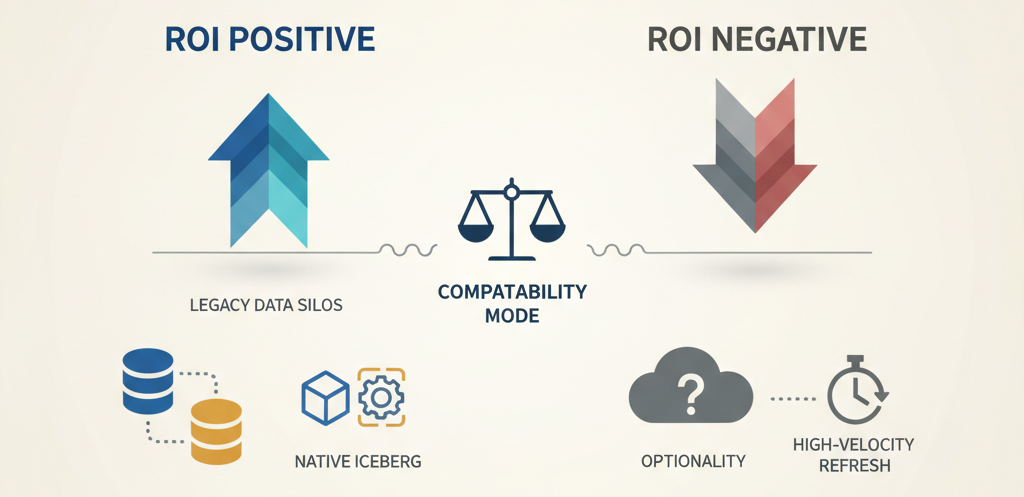
when Compatibility Mode ROI is positive
The Trade-Off You’re Actually Making
Here’s the decision point: Are you solving an architectural problem or a people problem?
If external teams need Databricks data because migrating them would cost $500K and take six months, Compatibility Mode is your answer. Accept the 5-15% compute overhead. It’s cheaper than the alternative.
If you’re enabling external access because “someone asked about Trino” and you haven’t actually calculated how many queries will actually run against these tables, stop. You’re paying for optionality you won’t use.
Configuration discipline matters enormously. Default refresh intervals are conservative (one hour). But if you’re running high-velocity streaming tables with zero-minute refresh intervals, every commit becomes a hidden cost multiplier. Own that decision explicitly.
The EXTERNAL USE SCHEMA privilege being deliberately excluded from ALL PRIVILEGES isn’t bureaucracy. It’s a feature that forces intentional access decisions. Use it. Granular access control will save you from unplanned compute bills.
When You Should Actually Skip It
Don’t use Compatibility Mode if your architecture allows consolidation instead. If you’re building something new and you have the choice between “let everyone read our Delta tables through Compatibility Mode” and “migrate everyone to Iceberg as the universal format,” the second option eliminates the sync cost altogether.
Don’t use it for high-velocity, constantly-mutating tables if your refresh interval strategy would require sub-hour updates. The cost per refresh scales with the write cost, and constant updates become an infinite treadmill.
Don’t use it when better alternatives exist. Iceberg REST catalog is powerful on its own, if you’re already running Iceberg workloads, external engines can read them directly without the Compatibility Mode wrapper.
Real Scenario: The Sneaky Refresh Bill
Here’s what actually happened at a customer:
They enabled Compatibility Mode on 47 managed Delta tables in their analytics layer. Per-table refresh: one hour. Looked reasonable. Three weeks in, a schema change cascaded across 23 tables simultaneously, automatic column renames in their ETL pipeline. Those 23 tables suddenly started hourly refreshes regardless of configuration.
Their monthly Predictive Optimization bill jumped $8K.
The refresh was legitimate, their schema had changed. But nobody realized that operations teams would be running weekly DDL updates to backfill data types. Every DDL change forced the refresh. After six weeks, they’d spent $32K on background compute regenerating compatibility versions for tables that external systems queried maybe twice a day.
They solved it by disabling Compatibility Mode on tables that didn’t need external access and implementing a 6-hour refresh interval on the rest, with explicit approval workflows for schema changes.
The bill dropped back to $1,200 per month.
The Final Take
Compatibility Mode is genuine infrastructure. When used strategically, it solves a real problem making your data lake interoperable without rebuilding everything.
But it’s not a “enable once, forget” feature. It’s a capability that requires cost discipline, architecture intentionality, and operational clarity about which tables actually need external visibility and how frequently they’ll be refreshed.
The tables that matter usually number in the tens, not the hundreds. The refresh intervals that make sense are measured in hours, not minutes. The access patterns should be explicit and auditable.
Make those decisions upfront. Query your system billing tables monthly. Watch for schema changes that trigger unplanned refreshes. And don’t pay for interoperability you’re not actually using.
That’s how you make Compatibility Mode’s promise real instead of expensive.